


Yuzu eReader
3.6591.00 Reviews
App Specs
- Version
- 11.4.2
- Updated On
- License
- Free
- Downloads
- 100,000+
- Developer
- Barnes & Noble College
- Categories
- Education
- Platform
- Android
Screenshots
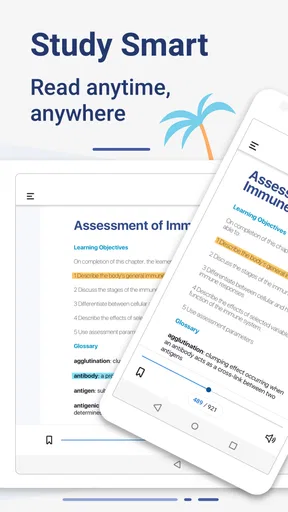

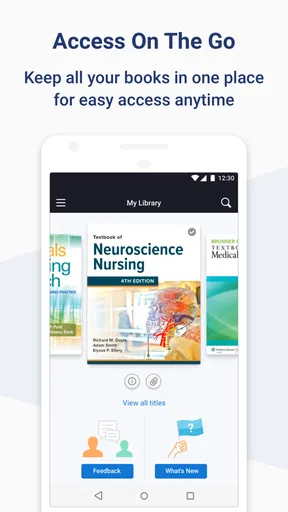
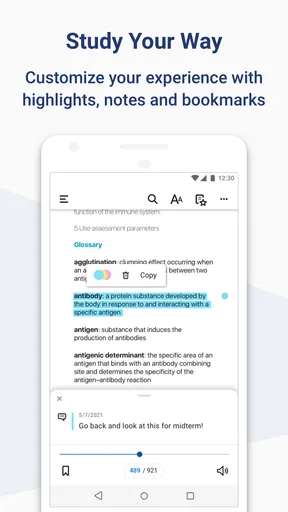
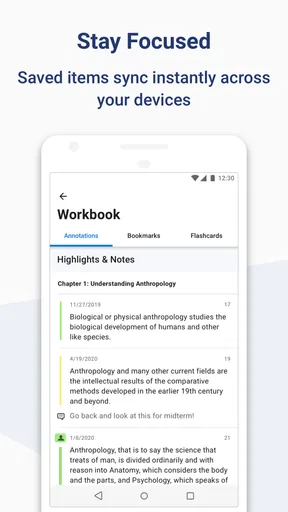
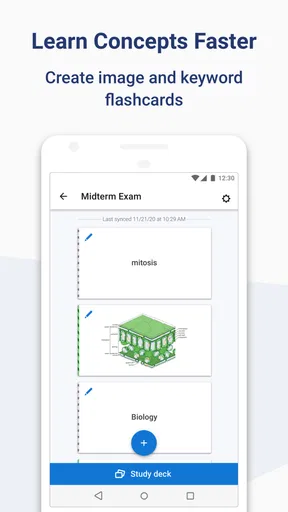
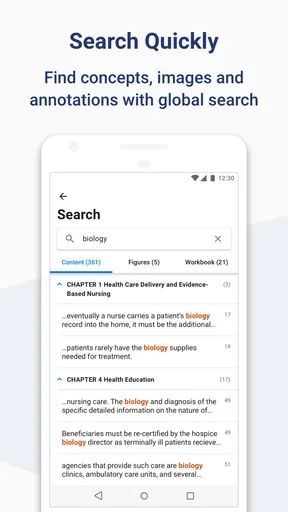
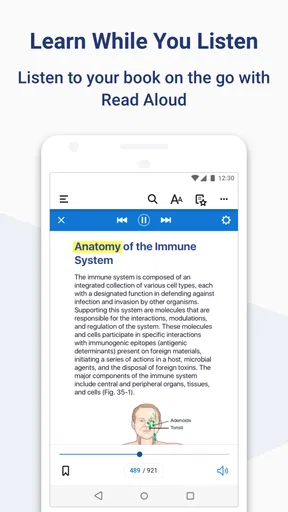
 Analysis by AppCompare
I approached Yuzu eReader as a practical reading companion rather than as a general-purpose study platform. Developed by Barnes & Noble College, it is an Education app built around reading and interacting with digital content. That focus matters: the experience makes the most sense when your school, college, or organization already uses Yuzu materials, not when you are simply looking for a universal ebook reader.
My first impression was that the app sits between a standard ebook reader and a digital course-material shelf. It is free to download, available for Everyone, and supports devices running Android 9 or later. The current version is 11.4.2, while the app itself dates back to May 3, 2016. That history gives it a more established feel than a brand-new reading experiment, although the experience still depends heavily on the content connected to your account.
How Yuzu fits into everyday digital study
The most useful way to think about Yuzu is as a place where reading, study access, and interaction meet. Instead of treating a digital textbook as nothing more than a PDF, the app is intended to make that material part of an ongoing learning workflow. I found that distinction important because students rarely read course content in isolation. They move between chapters, notes, assigned sections, and other study tasks, and a dedicated education reader can be more convenient than keeping scattered files in a downloads folder.
A realistic example is a student preparing for a morning class. The night before, they can open the assigned digital material, review the relevant section, and return to the same content on a mobile device while commuting or waiting between classes. That is a more natural use than trying to read an entire textbook casually on a phone. The smaller screen is best for targeted reading: checking a definition, revisiting a highlighted passage, or confirming a point before an assignment.
I also see value for readers who want their course content separated from entertainment reading. A normal ebook application may be excellent for novels, but it is not necessarily organized around academic material. Yuzu’s education-first identity gives it a clearer purpose for people managing digital textbooks and related content through Barnes & Noble College.
The app has passed a meaningful adoption threshold, with more than 100,000 installs and an average rating of 3.6 from roughly 900 ratings. I would read those figures as evidence that it has a real user base, not as a guarantee that every student will have a smooth experience. Reading apps are especially sensitive to device size, document format, account setup, and the quality of the material supplied through the user’s institution.
The strongest part is the focused reading workflow
What I like most is the idea of having one dedicated location for digital course content. When the app works with the material you need, it can reduce the friction of searching through email attachments, browser tabs, and unrelated cloud files. That is a small improvement, but small improvements matter during a busy semester. A student who can open the correct resource quickly is more likely to review it before class instead of postponing the task.
Worth Reading Before You Choose

EA SPORTS FC Mobile 26 Is a Bigger Football Game, but It Takes Time

Flipboard Shows What News Apps Must Do Beyond the Feed

Switching to Android Auto Means Rethinking Your Driving Routine

Google Calendar Makes a Crowded Week Easier to Manage

Ludo King Makes the Most of the Minutes Between Plans

Baby Panda World Brings Quick Play to Modern Phones, but Its Game Library Feels Busy
The reading focus also makes Yuzu more suitable for short study sessions than a broad productivity app. I would use it for a chapter preview, a quick review of terminology, or a second look at a difficult passage. On a tablet, the experience should be more comfortable for sustained reading than on a phone, while the phone remains useful for portability. In either case, I would treat the device as a supplement to a larger study routine rather than the only place where serious work happens.
One practical tip is to decide in advance what you want to accomplish before opening the app. Digital textbooks can encourage aimless scrolling, especially when a chapter is long. I get more from the reader when I enter with a narrow goal, such as locating a concept, reviewing a section for class, or checking material before writing notes elsewhere. That approach makes the app feel less like a passive bookshelf and more like a tool.
Where the app may feel less flexible
Yuzu is not automatically the best choice for someone who wants a completely open ebook library. Its value is tied to its educational role and the digital content available through the relevant Barnes & Noble College setup. If your reading life is mostly made up of public-domain books, novels from several stores, or documents you already own, a conventional ebook reader may be more flexible.
I would also be cautious about expecting a phone-sized screen to replace paper for every subject. Dense diagrams, wide tables, formulas, and pages that require frequent comparison can be tiring on a small display. Even when the app provides a convenient digital copy, some students will still prefer a laptop, tablet, or printed pages for extended sessions. That is not a failure unique to Yuzu; it is a trade-off of mobile reading that becomes more noticeable with academic material.
Another point is that reading and interacting with digital content are not the same as having a complete note-taking system. I would not choose Yuzu as my only place for organizing an entire semester’s ideas unless its available tools match my course needs. Many students will still want a separate notes app, a paper notebook, or a computer for essays and larger research tasks. The best workflow may be to read in Yuzu, capture the key idea in a separate study system, and keep the two roles distinct.
What the current version means for students
The current version, 11.4.2, shows that the app has continued through multiple stages of development since its original release. That is useful context for existing users: the product is not frozen at its first form, and the current build represents an ongoing version of the reader rather than an abandoned academic utility. Still, a version number alone does not tell me how every screen, title, or institution-specific workflow behaves, so I judge the app mainly by whether it makes assigned reading easier to reach and use.
For someone already using Yuzu, updating to the current version is the sensible way to evaluate the present experience. It is especially important with reading software because document handling, account access, and compatibility can affect whether a student can get to required material at the right time. I would update before a new term begins, then open the books or resources I expect to use instead of waiting until the first assignment is due.
That preparation leads to one of my more important recommendations: test the complete reading path early. Do not stop after confirming that the app launches. Open the relevant title, move through the sections you need, and check whether the text is comfortable on your preferred device. If your study routine involves switching between phone and tablet, test both. The goal is to discover practical friction while there is still time to adjust your workflow.
Existing users should also separate app behavior from content access. A reader can be installed correctly and still feel disappointing if the expected material is not connected to the right account or course arrangement. When something seems missing, I would first check the account and course context before assuming the reading interface itself is the problem. This simple distinction can save time during a stressful study session.
How it compares with familiar alternatives
Compared with a general ebook app, Yuzu has a narrower identity and a more academic reason for existing. A mainstream reader may offer a larger range of personal books or a more polished leisure-reading environment, but it may not fit course content as naturally. If your priority is fiction, magazines, or a mixed personal library, I would lean toward the reader that already contains your collection.
Compared with opening digital textbooks in a web browser, a dedicated app can feel more intentional. A browser is convenient when you need a quick temporary look, but it also brings tabs, notifications, and unrelated pages into the same space. Yuzu is better suited to a student who wants reading to happen in a distinct environment. The trade-off is that a browser may be easier when moving among several online sources, especially during research.
Compared with a PDF viewer, Yuzu is more closely associated with educational reading rather than simply displaying a file. A PDF viewer can be the better option when you need broad file compatibility, precise document control, or access to materials from many unrelated sources. Yuzu becomes more compelling when your required content already belongs within its ecosystem and you want a single place to return to it.
That comparison leads to a clear decision rule. Choose Yuzu when your studies point you toward Barnes & Noble College digital content and you value a dedicated reading space. Skip it as your primary reader if you need a universal document manager, a complete personal ebook library, or a powerful research workspace. It is a focused tool, and its focus is both its main strength and its main limitation.
Small habits that improve the experience
I would begin by using a larger screen whenever the material is visually dense. A phone is excellent for portability, but a tablet or computer-like setup is usually more sensible for long chapters, diagrams, and side-by-side checking. This is not about chasing a perfect setup; it is about matching the display to the kind of reading you are doing.
Second, keep Yuzu as the reading stage and use another method for durable study notes. After finishing a section, write a short summary in your normal notebook or notes system. This creates a useful separation: Yuzu holds the source material, while your own system holds the interpretation you will need later. It also reduces the risk of assuming that recognizing a passage means you truly remember it.
Third, use short return visits instead of saving all reading for one long session. Opening the app to revisit a difficult concept before class can be more productive than attempting to absorb an entire chapter at once. This is where a mobile reader earns its place: not necessarily by replacing a desk-based study session, but by making review possible in the gaps of an ordinary day.
Finally, keep your expectations realistic about interaction. Digital content can be easier to search and revisit than paper, but it does not automatically make learning active. I would still mark important ideas through whatever study method works for me, explain concepts in my own words, and test my recall without looking at the page. The app supports those habits; it cannot substitute for them.
Who should use it and who should look elsewhere
I would recommend Yuzu to students who receive digital course materials through the Barnes & Noble College environment and want a mobile-friendly way to read them. It is also a reasonable option for learners who prefer keeping academic reading separate from their personal ebook collection. The free price makes it easy to try, and the Everyone age rating means it is presented as suitable for a broad audience.
I would be less enthusiastic for someone who has no connection to the educational content it is designed to handle. In that situation, the app may not solve the reader’s actual problem. The same applies to people who need advanced document editing, a universal file cabinet, or a single application for books purchased from many unrelated sources. A standard ebook reader, PDF tool, or note-taking platform may serve those needs better.
The rating of 3.6 suggests a mixed but usable public response. I would not treat that number as a final verdict, because reading satisfaction depends so much on the specific course material and device. Instead, I would use the app for a real task: open the content you need, read a representative section, and decide whether the navigation and screen experience fit your habits. That test is more meaningful than a rating viewed in isolation.
What I would watch as the app continues
For future development, I would watch how Barnes & Noble College balances the needs of established students with the expectations of new mobile readers. The most valuable improvements would be the ones that reduce interruptions around assigned reading, make returning to important sections effortless, and keep the experience comfortable across different screen sizes. I would also pay attention to how well the app supports students who move between quick mobile checks and longer tablet sessions.
I would not assume that every future change will make Yuzu better for every reader. Adding more tools can sometimes make a focused reader feel crowded, while simplifying the interface could leave advanced students wanting more control. The best direction would preserve the straightforward path to course material while improving the parts of study that genuinely benefit from digital access.
My final view is positive but specific: Yuzu is worth considering when your academic reading already belongs in its ecosystem. I appreciate its clear purpose, free access, and established development history, and I can see it fitting naturally into short review sessions and organized course reading. I would not present it as a replacement for every ebook app or every study tool. Its real value is making the right educational content easier to return to at the moment you need it.
If that describes your situation, installing the current version is a sensible step, followed by an early test with your actual course material. If you are looking for a broad personal library, flexible file management, or a full note-taking environment, I would choose a different category of app instead. For the right student, though, Yuzu can become a useful, low-friction part of the daily study routine rather than just another icon on the phone.
Pros
- Supports EPUB
- and other popular ebook formats.
- Clean reading interface with adjustable text and display settings.
- Useful library organization for managing multiple books.
- Can provide a comfortable reading experience on phones and tablets.
- Suitable for readers seeking a lightweight alternative to physical books.
Cons
- Some advanced features may require time to discover.
- PDF reading can be less convenient on smaller phone screens.
- Book availability depends on importing or obtaining files separately.
- Performance may vary with very large or complex documents.
- Could offer fewer ecosystem features than major ebook platforms.
FAQs for Yuzu eReader
What is Yuzu eReader, and what can I use it for?
Yuzu eReader is a digital reading application designed for accessing and reading eTextbooks and other educational materials on supported devices. After signing in, users can view books connected to their account, navigate through chapters, search for terms, and use available study tools. It is primarily intended for students and institutions that distribute course content through the Yuzu platform, rather than for general-purpose ebook purchases.
Do I need an account or an access code to use Yuzu eReader?
In most cases, yes. Yuzu eReader content is usually linked to an account created through a participating school, bookstore, publisher, or educational program. Depending on how your textbook was provided, you may need to redeem an access code, sign in with institutional credentials, or connect a purchase to your account. Installing the app alone generally does not provide access to paid or assigned books.
Can I read Yuzu eTextbooks offline?
Yuzu eReader may allow supported books to be downloaded for offline reading, which is useful when traveling or studying without a reliable internet connection. However, you normally need to sign in and download the title while online first. Offline availability can vary by book, licensing restrictions, and app version, and some features may require an internet connection for synchronization, verification, or updates.
What reading and study features does Yuzu eReader provide?
The app is built around digital textbook reading and commonly includes features such as chapter navigation, text search, bookmarks, highlighting, notes, and adjustable reading settings. Depending on the title and platform, interactive media, accessibility options, or instructor-provided materials may also be available. The exact tools can differ because publishers and institutions control how each eTextbook is formatted and delivered.
Is Yuzu eReader available for both Android and iPhone, and what should I check before downloading?
Yuzu eReader availability and compatibility can depend on the current operating system, device model, and the version offered by the official app store. Before downloading, check that your phone or tablet meets the listed requirements and that your course provider supports mobile access. Also confirm the app name and publisher, since educational reading platforms may change branding, availability, or supported devices over time.


